
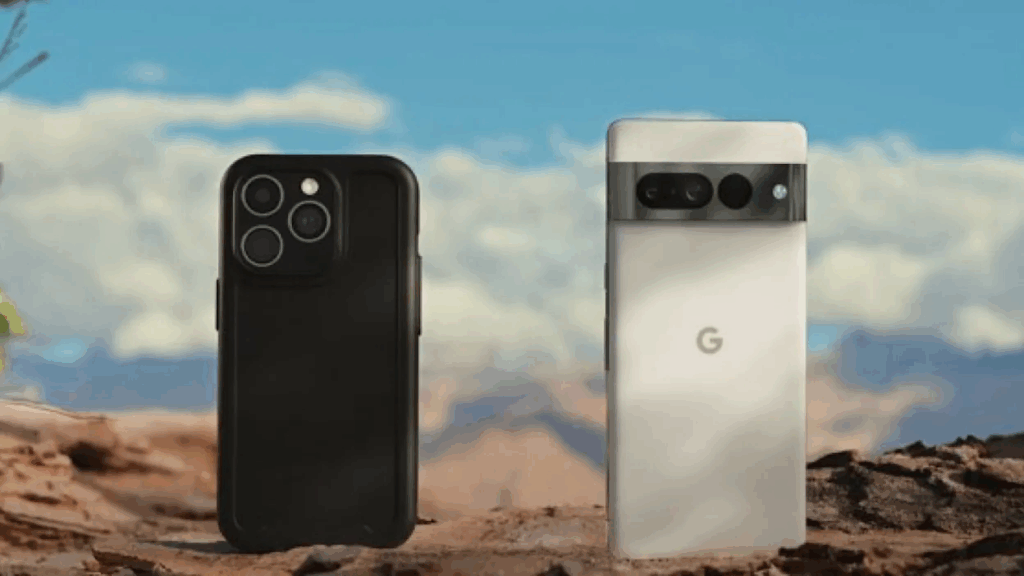
Google’s new Pixel-to-iPhone file sharing feature marks one of the most audacious moves yet in the long-running battle over mobile ecosystems. By enabling its latest Pixel 10 devices to send photos and files directly to iPhones using Apple’s own AirDrop protocol, Google has opened a fresh front in the competition for seamless cross-platform communication.
The rollout challenges Apple’s long-standing strategy of keeping core iOS features locked tightly inside its ecosystem, and raises meaningful questions about privacy, interoperability, and what consumers can expect next.
This article explains what Google actually built, how it works, why it matters, and what it reveals about the future of iPhone–Android compatibility.
What exactly is Google’s Pixel-to-iPhone file-sharing feature?
Google has developed a method allowing Pixel 10 smartphones to exchange files with iPhones using the AirDrop protocol — a protocol that Apple has historically kept closed. The feature enables Android-to-iOS transfers without requiring unofficial hacks, server routing, or third-party relay services.
In practical terms, Pixel users can now:
- Send images and other files directly to iPhones
- Transfer media to nearby Macs
- Initiate transfers without modifying Android settings beyond enabling Quick Share
- Achieve speeds comparable to traditional AirDrop between Apple devices
Crucially, Apple did not collaborate on this feature. Google confirmed it independently implemented AirDrop compatibility, then vetted the system through internal and external security reviews.
This marks the first time a major tech company has succeeded in allowing native AirDrop-style transfers to Apple devices without Apple’s participation.
How does Google’s AirDrop-based sharing actually work?
At its core, the feature leverages Apple’s existing AirDrop behavior. AirDrop works through a combination of Bluetooth discovery and peer-to-peer Wi-Fi for transferring data. Google essentially created its own implementation of the protocol so that the Pixel appears to the iPhone the same way an Apple device would.
What iPhone users need to do
To receive transfers from a Pixel:
- Open AirDrop settings
- Select everyone for 10 minutes
This temporary setting is already required for accepting files from non-contacts, even between two iPhones. Transfers from Pixels appear with the sender’s name, and the recipient can accept or reject the request.
A key design safeguard remains intact: once the 10-minute window expires, AirDrop resets to contacts only, minimizing exposure to unknown senders.
What Pixel users need to do
Currently, only the Pixel 10 series supports the feature, with a gradual rollout underway. Quick Share behaves normally on the Android side, with no new interface required.
Is the connection secure?
Google emphasized that:
- The connection is direct
- No servers are used
- No metadata or logs are stored
- No additional identifiers are shared
The company hired a third-party security firm to review the implementation and stated that privacy and security teams conducted their own extensive evaluations.
This is important because Apple has historically shut down services that piggyback on its proprietary protocols, often citing privacy concerns.
Why does this matter for consumers?
Cross-platform simplicity has been one of the biggest friction points in modern tech. Messaging between iPhones and Android devices only became comparably seamless after Apple adopted RCS in 2024. File sharing is the next battleground.
Three major consumer impacts stand out:
- Removing the “tech divide” in families and friend groups
iPhones and Androids often coexist in the same social circles. Until now, sending a photo from Android to iPhone typically meant using messaging apps, compression-heavy social platforms, or cloud links. - Setting pressure on Apple to open more features
When RCS adoption arrived, it followed global regulatory scrutiny. Google’s AirDrop compatibility could intensify calls for broader interoperability rules. - Unlocking fair competition
For years, Apple’s ecosystem advantages, iMessage, AirDrop, and FaceTime, have encouraged users to stay within the iPhone universe. Features like these challenge that lock-in.
What does this mean for Apple’s ecosystem strategy?
Apple traditionally treats AirDrop as a core iOS differentiator, protecting it the same way it once protected iMessage from external access. Past attempts to mimic Apple’s internal protocols were short-lived:
- In 2023, Beeper tried to bring iMessage to Android; Apple shut it down.
- Palm attempted to sync its Palm Pre with iTunes; Apple blocked it.
The difference this time is notable. Google is not modifying iOS, spoofing an Apple device, or routing traffic through disguised servers. Instead, it built a compatible implementation of an existing protocol.
This puts Apple in a difficult position: if it blocks Google’s solution, it may face consumer backlash and potential regulatory interest, especially in the US and EU, which are increasingly focused on tech interoperability.
Is this the start of a trend toward more open mobile ecosystems?
The timing aligns with broader global momentum pushing for interoperability.
Three major regulatory forces matter:
- The EU’s Digital Markets Act (DMA), which has already pushed Apple to loosen App Store rules
- US antitrust actions targeting restrictions within closed ecosystems
- Growing pressure in Asia for fair device-to-device communication standards
While Google didn’t explicitly cite regulation, the company framed the new feature as a win for consumers — a message aligned with the tone of RCS adoption.
This file-sharing breakthrough could foreshadow:
- Cross-platform clipboard sharing
- More open wireless transfer standards
- Collaborative file-sharing protocols between major tech players
Even if Apple resists, the momentum is clearly shifting.
How well does the pixel-to-iPhone file sharing feature work right now?
Early hands-on tests show promising results:
- Transfers between a Pixel 10 Pro and an iPhone 17 Pro Max worked reliably
- Pixel-to-Mac transfers also succeeded
- Speed was comparable to AirDrop between Apple devices
The biggest limitations at launch:
- Only the Pixel 10 series supports the feature
- Rollout is gradual and may take weeks
- The iPhone must be manually set to everyone for 10 minutes each time
Still, considering the historic gap in Android-to-iPhone sharing, the experience is surprisingly smooth.
What questions remain for the future?
Will Apple try to shut this down?
Apple has not commented. Whether it views this as a threat, a breach of protocol, or a consumer-friendly development remains to be seen.
Any attempt to block it could attract regulatory scrutiny, especially if framed as restricting interoperability.
Will other Android manufacturers adopt this?
If Google can license or open-source its implementation, Samsung, OnePlus, and others may bring similar capabilities to their devices.
Could this lead to full cross-platform AirDrop support?
Unlikely, unless regulators compel it. But Google’s work demonstrates it is technically possible.
TL;DR
- Google built a way for Pixel 10 phones to send files to iPhones using the AirDrop protocol
- Apple did not participate in the development
- iPhone users must enable everyone for 10 minutes to receive files
- Transfers are private, direct, and do not use servers
- This is a major step toward better Android–iPhone interoperability
- Apple now faces pressure to respond, or risk regulatory attention