
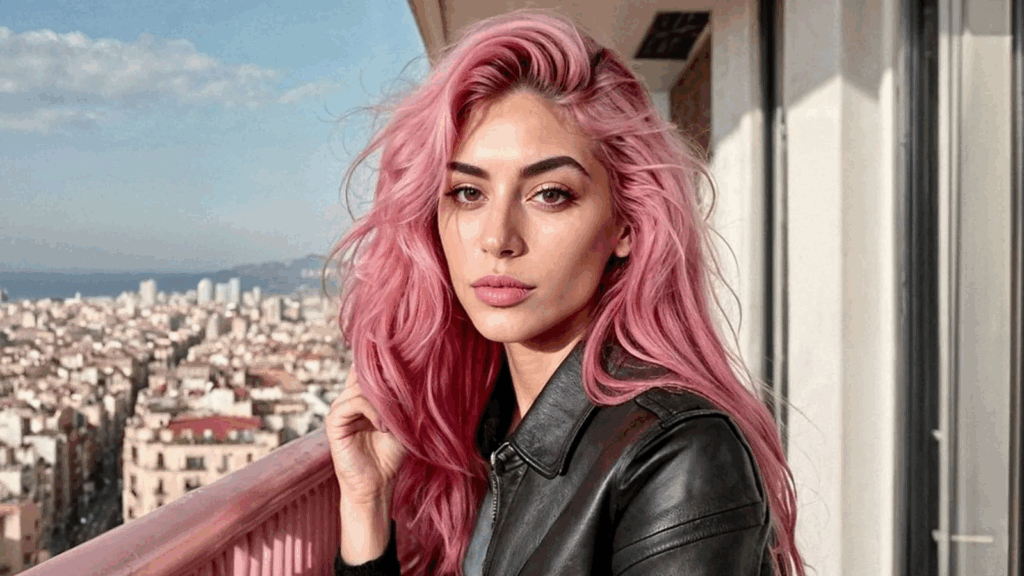
You’ve seen AI-generated faces in ads and reels—but how do you build one yourself? An AI Instagram model is a digital persona powered by AI, CGI, and sometimes voice editing, designed to post photos, interact with people, and represent brands without ever being human. With the right tools—like no-code generators and open-source AI—anyone can generate virtual influencers.
To create an AI Instagram model, first design the persona and generate a unique face using tools like SDXL Turbo or Genfluence. Train the model for consistent looks with LoRA or DreamBooth, then create content using tools like Kling AI and ElevenLabs. Finally, launch the account, post regularly, and monetize through affiliate links or brand deals.
TL;DR
Short on time? Here’s how it actually works, step by step.
1. Persona design
Define your avatar’s identity, backstory and style. Use tools like Notepad or Miro.
2. Image generation
Design the AI model’s face using generators such as SDXL Turbo, Genfluence or RenderNet.
3. Consistency training
Fine-tune the avatar with tools like LoRA, DreamBooth or Control‑Net to maintain a consistent appearance.
4. Content creation
Produce both static and animated posts using image and video generators, plus tools like Kling AI and ElevenLabs.
5. Account launch
Set up the Instagram profile, write captions, plan posts on a calendar, and publish using scheduler tools.
6. Monetization
Add affiliate links or pitch for brand deals via affiliate platforms or custom brand docs.
Here’s how to create an AI Instagram model.
Step 1: Design Your AI Model’s Persona and Look
Technical first step? Not at all—it starts with your avatar’s character.
- Define style: Who are they? Fashionista, tech guru, wellness coach?
- Choose visual traits: Age, ethnicity, hair, clothing style.
- Create a backstory: Add personality, interests, and a secondary niche (travel, pets).
This initial blueprint guides your creation and voice.
Step 2: Choose a No-Code Generator
Skip coding: all you need now are the tools below. These platforms generate avatars based on text or images:
- SDXL Turbo / Juggernaut XL via web-based UIs for free realistic face creation
- Genfluence for style-consistent influencer image sets.
- RenderNet for structured, consistent avatars with “face-lock” and pose control.
For reliability and scalability, choose a platform with a face-lock feature to ensure the avatar stays visually consistent across posts.
Step 3: Fine-Tune Character Consistency
Creating a believable virtual influencer means making the model look the same in every image. Reddit users recommend techniques like:
“Use the LoRa to generate the new images of the model… finalize with creative upscaling + faceswap to bring in more realistic skin textures and a consistent face.”
Common consistency approaches include:
- Face-lock/control-net prompts to anchor facial features
- DreamBooth or LoRA fine-tuning using 15–30 reference images
- Post-generation enhancement using upscaling or texture apps
Step 4: Create Photo & Video Content
Your avatar needs posts that feel authentic. Here’s how:
Static Photos
Use your generator with varied prompts:
- Character name + action + background
- Include the same face profile for visual continuity
Video & Voice
No-code tools like Kling AI and Runway support face→video generation.
- Upload image
- Input prompt
- Export short animated reels with lip-sync
Add voice using AI like ElevenLabs – paste your script and sync with visuals
Step 5: Launch and Grow Your Virtual Influencer
Once you have content ready, set up your Instagram presence:
- Create an IG account with a persona-based username
- Fill bio: mention they’re AI-powered (“digital avatar experimenting with fashion/tech”)
- Upload 20+ launch images & videos
- Add captions, hashtags, and a content cadence
- Use cross-promos or engagement tools (polls, DMs) for interactivity
Reddit users report success growing to 1,000+ followers in under a month by posting daily and using affiliate links.
Step 6: Monetize & Expand
As your virtual influencer gains traction, consider these strategies:
- Affiliate marketing and product tags
- Paid promotions and brand partnerships
- Subscription or exclusive content for members
- Cross-platform expansion (YouTube, TikTok)
One creator reportedly earned €800–1,000 monthly via affiliate funnels after consistent posting.
Ethics & Best Practices
These digital personas raise important questions:
- Disclosure: FTC guidelines require transparency when using AI or synthetic actors.
- Bias: Make sure your avatar represents diversity responsibly—avoid stereotypes.
- Copyright: Use properly licensed assets for visuals and audio.
FAQs
Q: Do I need to code?
No—every tool here is no-code. Most are web-based and plug-and-play.
Q: How long until it looks real?
Photo quality is instant. Video content might take a few iterations to perfect.
Q: Can I earn money with it?
Yes—affiliate links, sponsored posts, and won brand deals are common.