

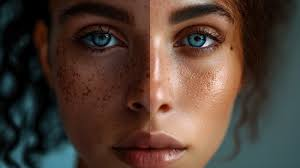
From AI-generated images and deepfake videos to fake voice clones, artificial intelligence is blurring the line between real and fake. This guide to spotting AI fakes uses clues in lighting, context, metadata, and tools to stay informed and avoid deception in the digital age.
Why It’s Getting Harder to Trust What You See Online
AI-generated content isn’t just a novelty anymore—it’s becoming indistinguishable from reality. As of 2024, over 1 billion deepfake videos are circulating online, according to Deeptrace Labs. These can range from humorous celebrity parodies to serious threats, like political disinformation or identity theft.
Fake audio clips, synthetic images, and even entire websites created with generative AI tools like Midjourney, Sora, or ElevenLabs are now used in scams, misinformation, and media manipulation.
What Are AI Fakes?
AI fakes are digital media—images, videos, audio, or text—created or altered by artificial intelligence. They are designed to mimic human-created content, often convincingly. Types include:
- Deepfake videos: AI-altered videos that mimic a real person’s face and voice.
- Synthetic audio: Voice clones using AI tools like ElevenLabs or Resemble.ai.
- AI-generated images: Art or photos made using tools like DALL·E, Midjourney, or Stable Diffusion.
- Fake news articles or social posts written by large language models.
How to Spot AI-Generated Images
1. Look for Unrealistic Details
Even the best AI models struggle with small inconsistencies:
- Hands and fingers: AI sometimes adds too many or too few fingers.
- Lighting and shadows: Inconsistent light sources or unnatural glow are red flags.
- Background distortions: Text in signage may appear garbled or nonsensical.
- Teeth and accessories: Look closely—AI struggles with symmetry and fine details.
2. Use Reverse Image Search
Tools like Google Lens or TinEye can tell you if the image has appeared elsewhere and when.
How to Detect Deepfake Videos
1. Facial Movements and Blinks
Deepfakes often falter in capturing natural expressions. Look for:
- Delayed or limited blinking
- Unnatural jaw movement or lip sync
- Blurring around the eyes or mouth
2. Audio Mismatch
A mismatch between lip movement and sound is common. Run it through Deepware Scanner or Hive AI’s detector.
AI Voice Clones: How to Spot Them
AI-generated audio is improving fast, but here’s what to watch for:
- Robotic or overly crisp enunciation
- Missing emotional tone or pauses
- Unnatural rhythm or pacing
You can use tools like Resemble Detect to verify suspicious audio clips.
What Tools Can Help You Detect AI Fakes?
Here’s a shortlist of free or reliable tools:
| Tool Name | Use Case | Website |
|---|---|---|
| Deepware Scanner | Deepfake video detection | deepware.ai |
| Hive AI | Image + video analysis | thehive.ai |
| Reality Defender | Multi-format AI detection | realitydefender.com |
| Sensity AI | Enterprise-level analysis | sensity.ai |
| Google Lens | Reverse image search | images.google.com |
Why It Matters More Than Ever
Misinformation is now cheaper and faster to produce than the truth. In the 2024 EU elections, fake AI-generated political videos caused confusion and prompted urgent regulatory responses.
In the U.S., the Federal Trade Commission (FTC) has proposed new rules to penalize the deceptive use of AI content in advertising and political campaigns. Awareness among consumers is the first line of defense.
What You Can Do to Stay Ahead
- Stay skeptical: Question viral content, especially if it’s emotionally charged.
- Check the source: Trusted outlets and verified accounts are less likely to spread fakes.
- Use detection tools: Bookmark tools listed above for quick checks.
- Educate others: Share knowledge with family, friends, and colleagues.
AI-generated fakes are evolving quickly, but so are the tools and skills to detect them. As a digital citizen, your critical thinking is more powerful than ever. With a bit of skepticism and a few handy tools, you can navigate this new era of information confidently and end up spotting AI fakes relatively easily.