

NFT stands for non-fungible token. It is a type of digital currency. NFT is a piece of data that embodies a unique or a one-of-a-kind asset. It is a digital certificate that specifies that you are maintaining ownership of a digital piece. Mike Winkelmann, a digital artist who is also called Beeple, got famous recently when he sold an NFT for $69 million. Furthermore, it goes past Art. It could be anything as long as it can be digitized. Be it music, houses, everything that is or can be digital. People spend millions on these NFTs.
Non-fungible implies that it is a remarkable resource that can’t be traded. It is unique and one-of-a-kind. Regardless of whether two resources may come as indistinguishable, the metadata or the non-fungible token gives a stamp of authenticity which shows that they are apart. Here is a complete guide on how to make, sell and buy NFTs.
How to buy NFTs?
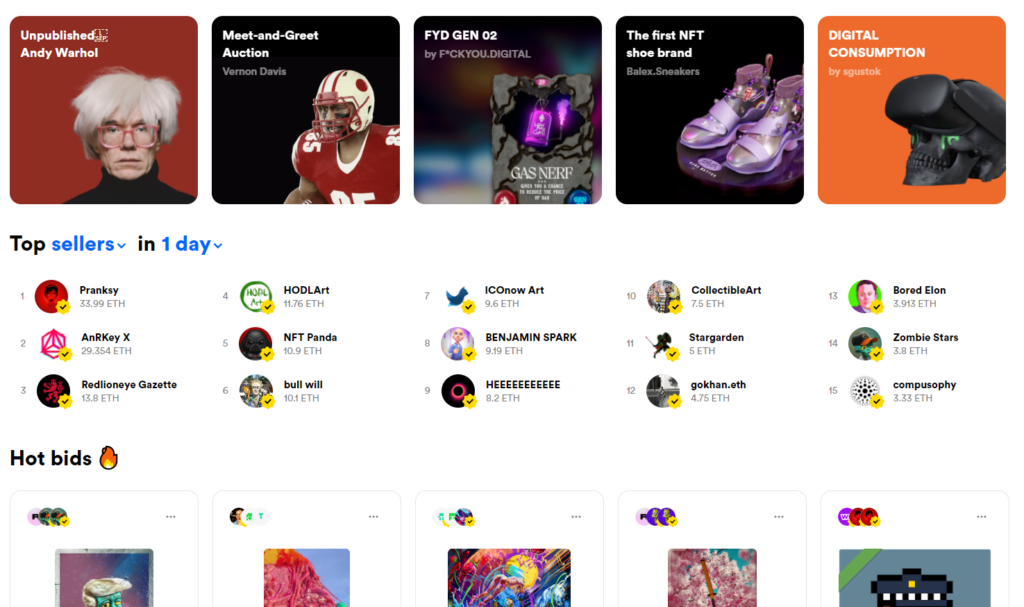
You can look for them online through different commercial sites. OpenSea is a major marketplace. Consider it an online gallery where you can explore digital art, trading cards, and different collectibles.
It functions like an auction house, where you propose offers on things and expect you’re the winner, however, a few postings let you “Buy now” at a set cost.
A digital wallet to buy

We are going to see how to make, buy and sell NFTs while using the OpenSea marketplace. Before you start, you need to add cash to a digital wallet that you can spend from. OpenSea utilizes ether, a type of cryptocurrency, which you’ll have to purchase. It resembles an arcade, where you need tokens to play the game. Essentially here, the tokens are called ether. You’re most likely going to begin little, with fractions of ether. OpenSea recommends utilizing a plug-in for the Chrome browser called MetaMask It usually takes 30 seconds to install the plug-in from OpenSea and set a secret password.
Steps to do it.
Tap the profile symbol on the upper right of the OpenSea site.
Click on “Get MetaMask.”
Pick ‘Install MetaMask’ for Chrome or the supported browser that you have. This installs a chrome plug-in.
Tap “Get Started.”
Select ‘Create Wallet’
Click ‘No thanks’ for sharing feedback.
Make a secret password.
Save it or write it somewhere.
Tap ‘Next’ and then confirm the password.
Click ‘Next’ to connect your OpenSea account with the MetaMask digital wallet you just created.
Then, tap on ‘Connect’ once more.
Now you have a computerized wallet that is associated with OpenSea. Also, you need to get some ether so that you can spend on NFTs.
How to buy ether
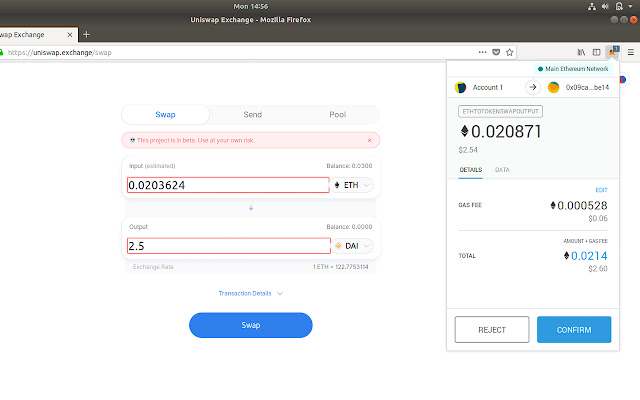
You can utilize different applications to purchase cryptocurrencies. Coinbase and Robinhood are quite famous. Let’s use MetaMask to purchase ether since we’re now using that as a digital wallet and have effectively associated it with OpenSea. We can use that same plug-in that we just installed in the last step, to get some ether.
To do that:
Tap the little puzzle piece symbol on the upper right of Chrome toward the finish of your URL box.
Tap the MetaMask fox symbol.
Click on ‘Buy.’ Or, select ‘Directly Deposit Ether’ if you have it in some other account.
Tap on ‘Continue to Wyre’
Pick how much ether you’d prefer to purchase. There’s a $5 exchange charge and a $4.88 network expense, so purchase all the ether you need presently to keep away from extra transaction expenses. Become accustomed to those charges; there are more when you purchase something.
Click ‘Next.”
Enter your payment data and phone number.
Then, Tap ‘Submit.’
Enter in the payment verification code you got on your phone.
Approve the purchase by entering the six-digit code for a pending Wyre transaction in your bank account.
Voila, you’ve bought some ether. Shortly, you’ll also see it accessible in your MetaMask account. That implies you’re prepared to purchase NFTs.
How to buy NFTs

To buy NFTs, all you have to do is-
Click on ‘Buy Now’
Then, select ‘Checkout’
Now click ‘Submit’
Next, you have to confirm a gas fee. This is required by the Ethereum network to process the transaction.
How to create and sell NFTs
Let’s make digital art an NFT and list it for sale now. You can use Rarible, since it was just a little cheaper and easier to set up, and it links into OpenSea if someone happens to search it.
Go to Rarible.com and tap ‘create’ on the upper right.
Make a solitary or various collectible — the last for an assortment of photos or cards you’ve made.
Select ‘Choose File’ to upload a PNG, GIF, MP3, or another document type. The maximum size is 30MB.
Enter in the cost you’d like, or leave ‘put on sale’
Put up a name for your NFT and a description.
Set your royalties. You’ll keep on getting paid on the off chance that it sells on the secondary market. This depends on the current deal cost.
Pick ‘Connect wallet and create’
Then, associate your wallet, which we set up in the prior segment above. In this way, tap “MetaMask’
Pay the ‘Gas’ charge to handle the posting.
Tap ‘Start’ to sign the sell request utilizing your digital wallet.
Lastly, click ‘Sign’ in the MetaMask pop-up.
That is it! It has now been listed. Offers will show up on the deal page. On the off chance that at any point the NFT sells, the funds will move to your wallet.