

• About BreezyScroll
  • Privacy & Policy
  • Contact Us
Wednesday, July 22, 2026
BreezyScroll
  • Home
  • Breezy Stories
  • Technology
  • Gaming
  • Entertainment
  • Lifestyle
  • World
  • Money
  • Sports
  • Breezy Explainer
No Result
View All Result
  • Home
  • Breezy Stories
  • Technology
  • Gaming
  • Entertainment
  • Lifestyle
  • World
  • Money
  • Sports
  • Breezy Explainer
No Result
View All Result
BreezyScroll
No Result
View All Result

Home  /  Technology  /  How To Turn Off Apple Intelligence On macOS And Control AI Features

How To Turn Off Apple Intelligence On macOS And Control AI Features

by Jake Hoffman
November 17, 2025
in Technology
Reading Time: 3 mins read
How To Turn Off Apple Intelligence On macOS And Control AI Features

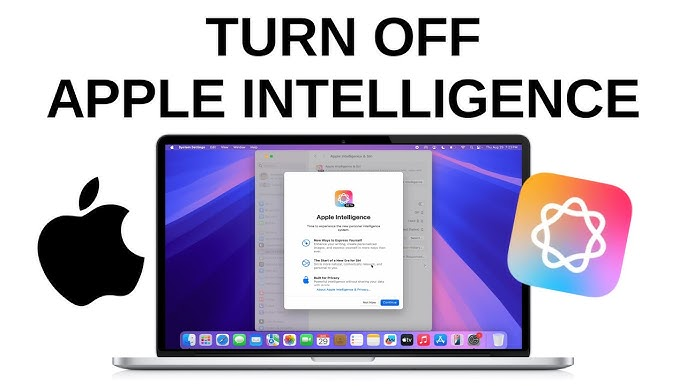
Apple has added artificial intelligence features throughout macOS, but not everyone wants these tools running automatically. Some users prefer using AI only when needed, through apps, websites, or browsers such as ChatGPT Atlas. macOS gives you full control, allowing you to disable Apple Intelligence completely or limit how it interacts with apps and services.

How to turn off Apple Intelligence completely

If you want to disable all Apple Intelligence features across your Mac, follow these steps:

  1. Open System Settings by clicking the Apple menu in the top-left corner.
  2. Select Apple Intelligence & Siri from the left sidebar.
  3. Toggle off Apple Intelligence at the top of the screen.
  4. Confirm your choice by selecting Turn Off Apple Intelligence. This disables AI features system-wide and removes them from Siri without affecting normal macOS functions.

How to stop apps from sending data to Apple Intelligence

If you prefer to keep Apple Intelligence enabled but want to prevent certain apps from contributing behavior data, you can manage permissions individually.

  1. Open System Settings from the Apple menu.
  2. Select Apple Intelligence & Siri, then scroll to the Siri section and choose Siri Suggestions & Privacy.
  3. Review the list of apps and turn off Learn from this application for any app you want to exclude.
  4. Select Done to save your preferences.

How to disable ChatGPT integration in Apple Intelligence

macOS can use ChatGPT for tasks such as writing, generating images, or answering questions. If you do not want Apple Intelligence to connect with ChatGPT, you can turn it off.

  1. Go to System Settings from the Apple menu.
  2. Open Apple Intelligence & Siri, scroll to the Siri section, and choose ChatGPT under Extensions.
  3. Toggle off Use ChatGPT. You can enable it again anytime by selecting Set Up.

How to turn off Apple Intelligence email summaries

The Mail app uses AI to summarize message previews, but this can be disabled easily.

  1. Open the Mail app and select Mail from the menu bar.
  2. Choose Settings, go to the Viewing tab, and untick Summarize Message Previews.

Tags: Apple Intelligence
ShareTweetShareSend

Recent Articles

Can Saudi Arabia Now Build a Nuclear Bomb? What The New U.S.-Saudi Nuclear Deal Actually Means

Can Saudi Arabia Now Build a Nuclear Bomb? What The New U.S.-Saudi Nuclear Deal Actually Means

July 22, 2026
Why The Milky Way Flipped On Its Side 10 Billion Years Ago, According To Astronomers

Why The Milky Way Flipped On Its Side 10 Billion Years Ago, According To Astronomers

July 22, 2026
Pan Am Plane Wreckage Missing for 74 Years Finally Discovered

Pan Am Plane Wreckage Missing for 74 Years Finally Discovered

July 22, 2026
Pakistan Seeks $10 Billion U.S. Support After Iran Mediation. Here’s What The Request Means

Pakistan Seeks $10 Billion U.S. Support After Iran Mediation. Here’s What The Request Means

July 22, 2026
BreezyScroll Logo

BreezyScroll is a global content platform that provides a unique experience of enhancing the knowledge quotient for its audience by providing the latest news and updates from various categories such as politics, sports, entertainment, technology, and more.
The platform aims to provide a concise and easy-to-read format for its users. BreezyScroll covers news stories from around the world, majorly the United States. The platform was launched in 2021 and has become one of the fastest-growing content companies in the US.

Follow Us

Browse by Category

  • Africa
  • Alaska
  • Animals
  • Asia
  • Athletics
  • Australia
  • Auto
  • Basketball
  • Bollywood
  • Brand
  • Breezy Explainer
  • Breezy Feature
  • Breezy Soul
  • Business
  • Canada
  • Chess
  • China
  • Coronavirus
  • Cricket
  • DIY
  • Education
  • Entertainment
  • Environment
  • EPL
  • Europe
  • Exclusive Interview
  • Exclusive Review
  • Football
  • Gaming
  • Health
  • Hollywood
  • India
  • International
  • K Pop
  • Law
  • Lifestyle
  • Middle East
  • Money
  • NFL
  • North America
  • OTT
  • Paris Olympics
  • Pets
  • Press Releases
  • Russia
  • Science
  • South America
  • Space
  • Sports
  • Startup
  • Technology
  • Tennis
  • Tennis
  • The Achievers
  • The US
  • Travel
  • UK
  • UK
  • Uncategorized
  • World
  • WWE

Trending Topics

AI Apple Australia Biden California Canada ChatGPT China Climate Change Coronavirus COVID-19 Donald Trump Elon Musk Featured Florida Google IPL Iran Japan Joe Biden Mars Meta Moon NASA NBA Netflix New York North Korea Ohio OpenAI Putin Russia Russia-Ukraine crisis South Korea Taliban Tesla Texas TikTok Trump Twitter UFO UK Ukraine USA Virat Kohli

No Result
View All Result
  • About BreezyScroll
  • Privacy & Policy
  • Contact Us

© 2024 · BreezyScroll.com

No Result
View All Result
  • Home
  • Breezy Stories
  • Technology
  • Gaming
  • Entertainment
  • Lifestyle
  • World
  • Money
  • Sports
  • Breezy Explainer

© 2024 · BreezyScroll.com

Go to mobile version